On-demand model swapping
One endpoint, every model. A request naming a model that isn't loaded swaps it in, evicting whatever no longer fits, and holds the group together when several have to coexist.
v1.7.2 · Windows, Linux, macOS, Docker
Quartermaster runs AI on your own computer: chat, images and voice, for you or for everyone at home. Point it at your models folder and it works out what fits in your VRAM, launches each model with computed flags, and hot-swaps between them behind one OpenAI- and Anthropic-compatible API.
v1.7.2 · all releases · Docker and other platforms
No signed macOS build yet. After downloading: xattr -d com.apple.quarantine ./quartermaster-setup-darwin-arm64-v1.7.2
qwen3.8-27b-ud3-iq4_xsllama-server -m Qwen3.8-27B-UD3-IQ4_XS.gguf \
-c 102400 -ngl 99 --port ${PORT}NVIDIA (CUDA), AMD (ROCm or Vulkan), Intel Arc (Vulkan) and Apple Silicon (Metal). No GPU works too, just slower.
Private AI at home
Chat, web search, pictures and voice, running on your computer. Your conversations stay with you, and everyone at home gets their own login.
See the chat app ↓Models and tooling
One OpenAI and Anthropic endpoint for every model you own, with context, offload and KV cache sized to your VRAM. Works with Claude Code, Open WebUI and the SDKs.
Compare with Ollama and LM Studio ↓The chat app
Quartermaster comes with a chat app that works like the ones you already know: type a question, get an answer. The difference is where it runs. The AI is on your computer, your conversations are saved there, and nobody is reading them, training on them or charging you for them by the month.
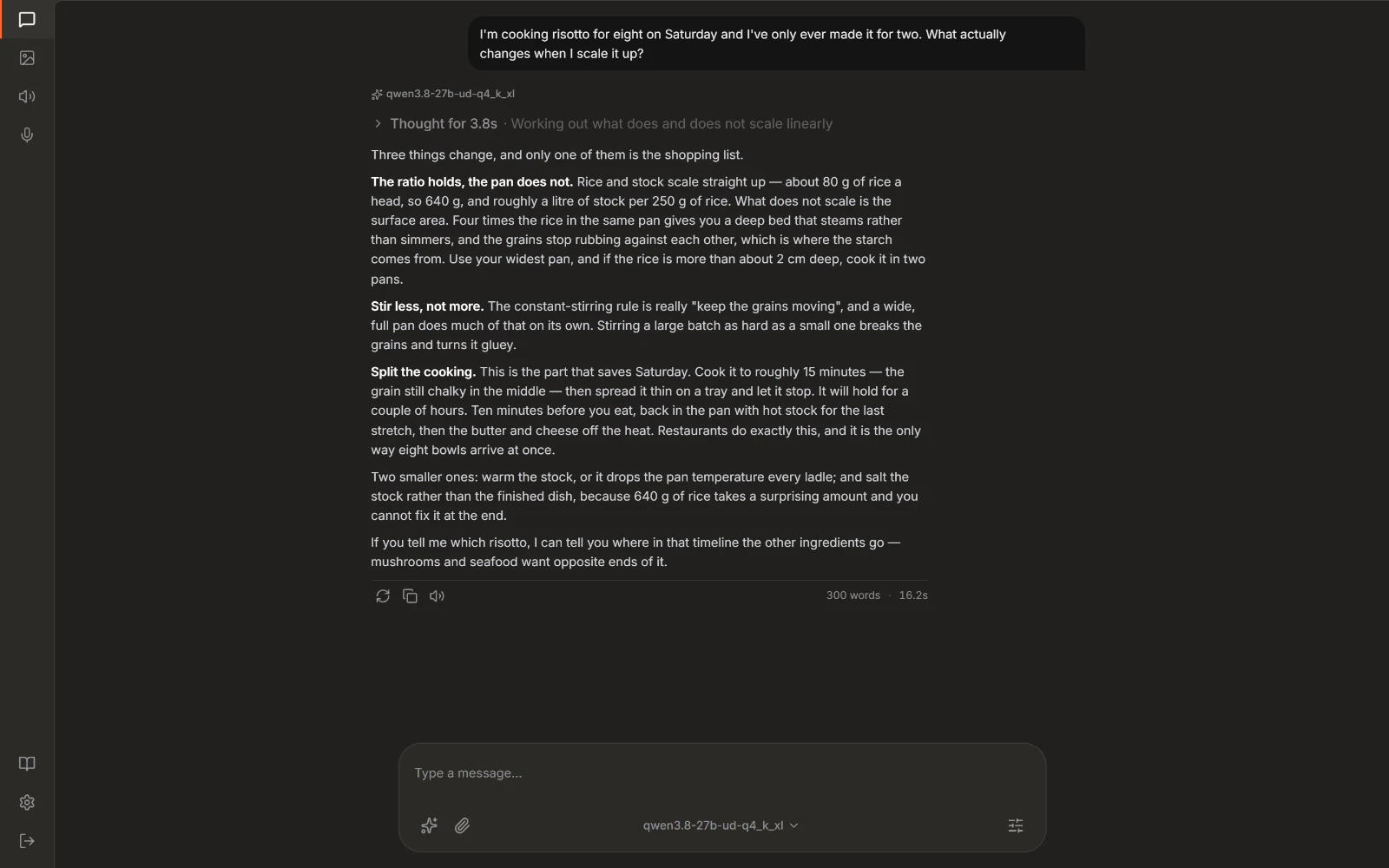
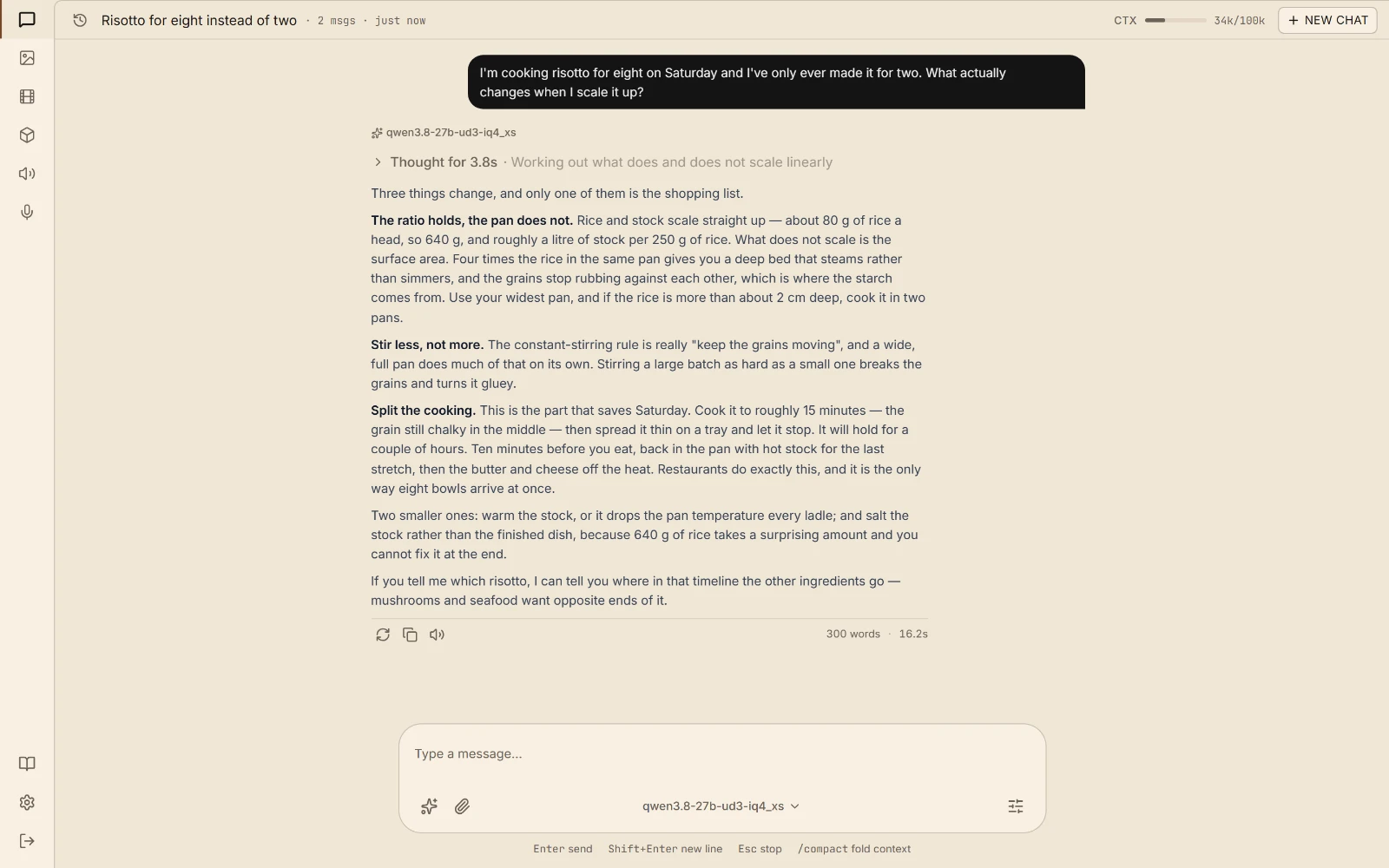
Chat An ordinary conversation. The model's thinking is tucked away, the answer is not.
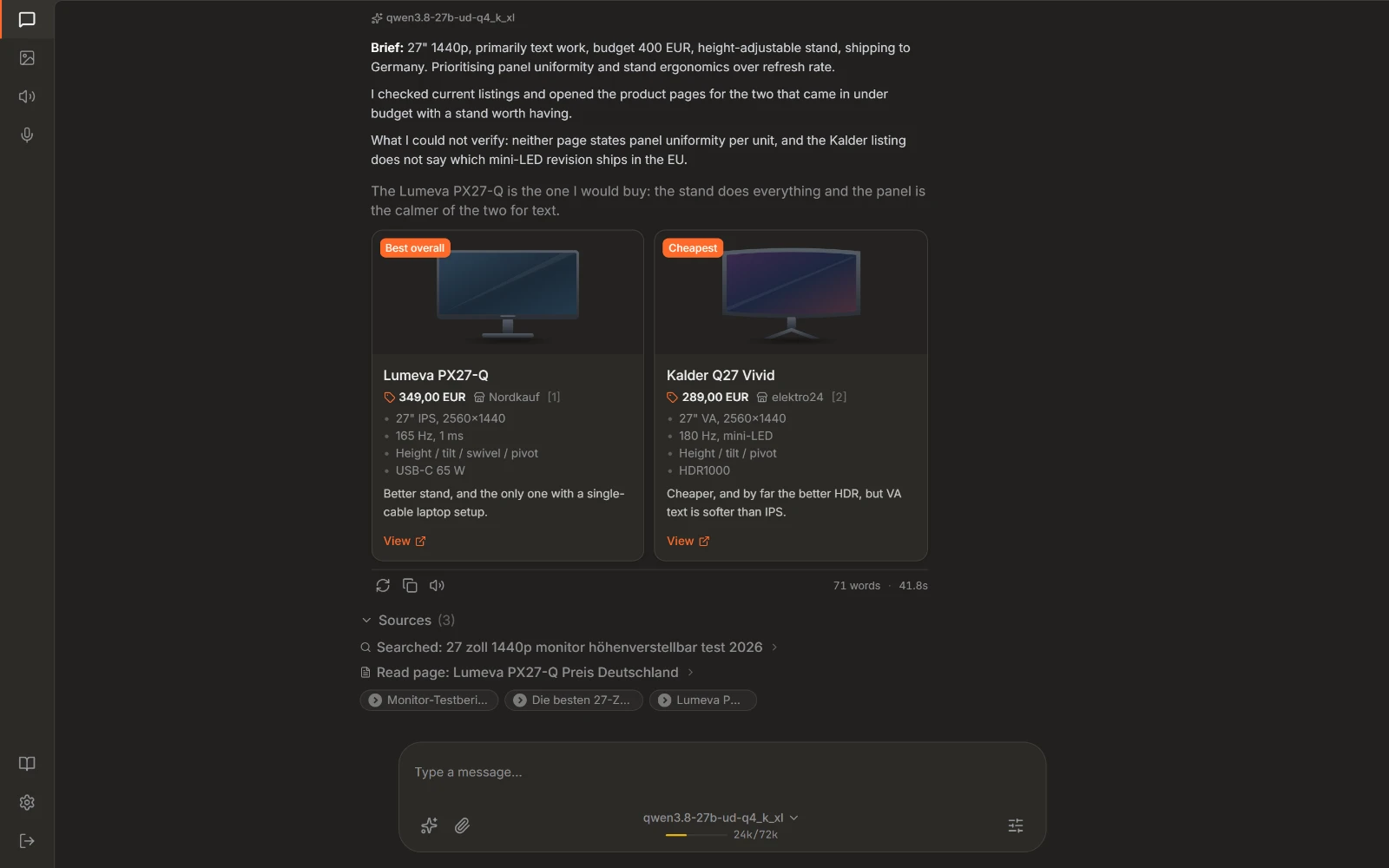
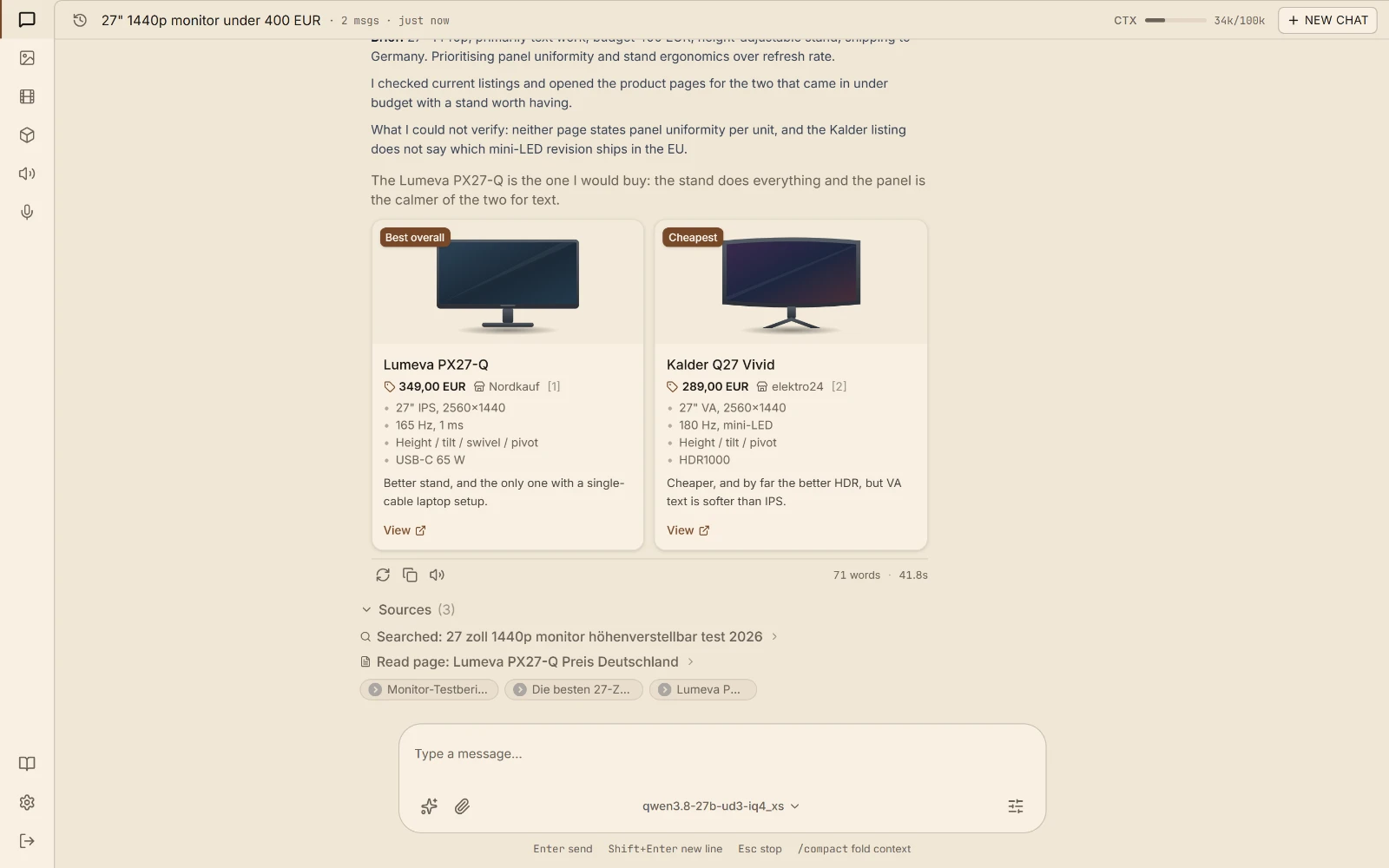
Web search Looking something up mid-conversation and reading the page it found.
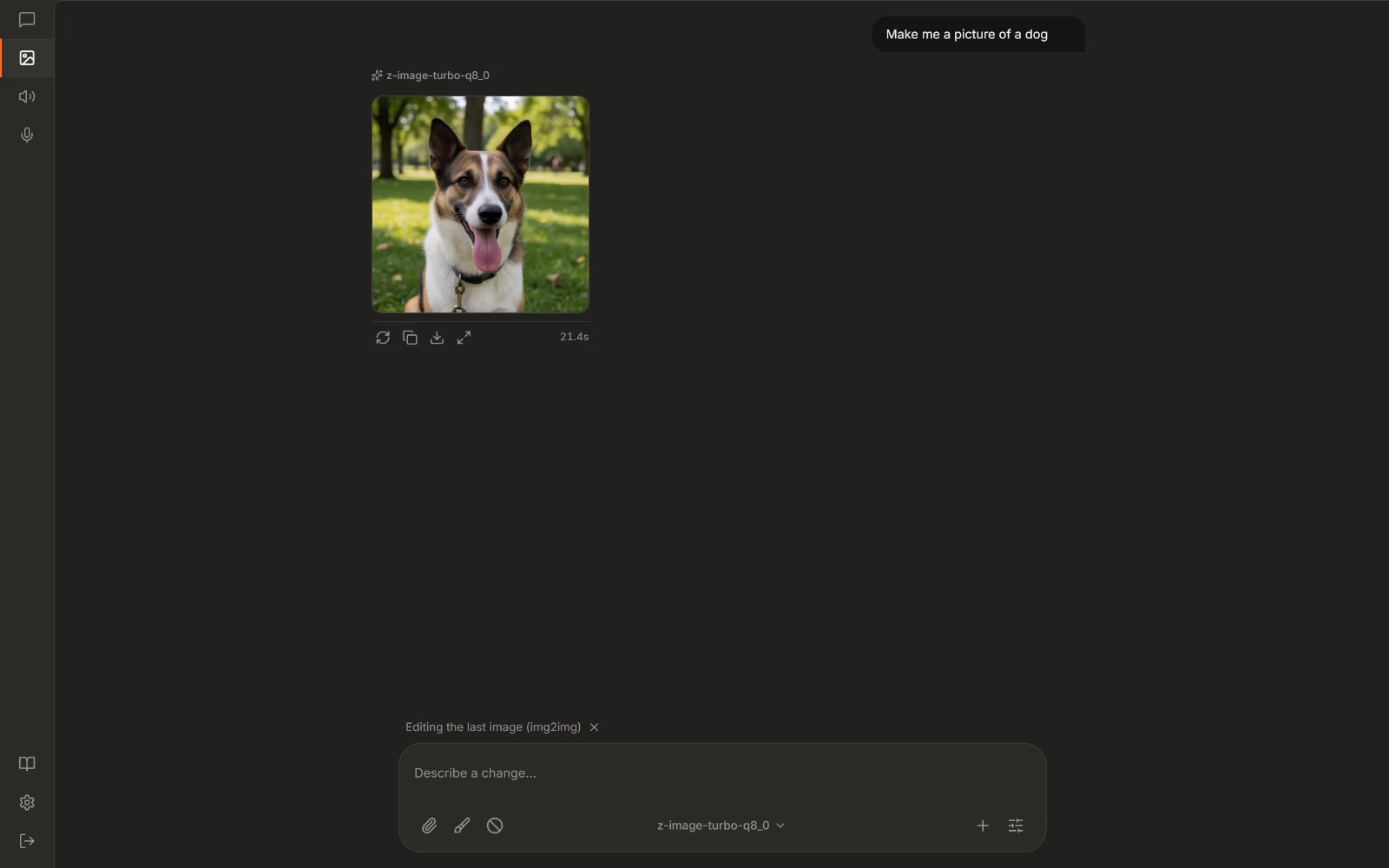
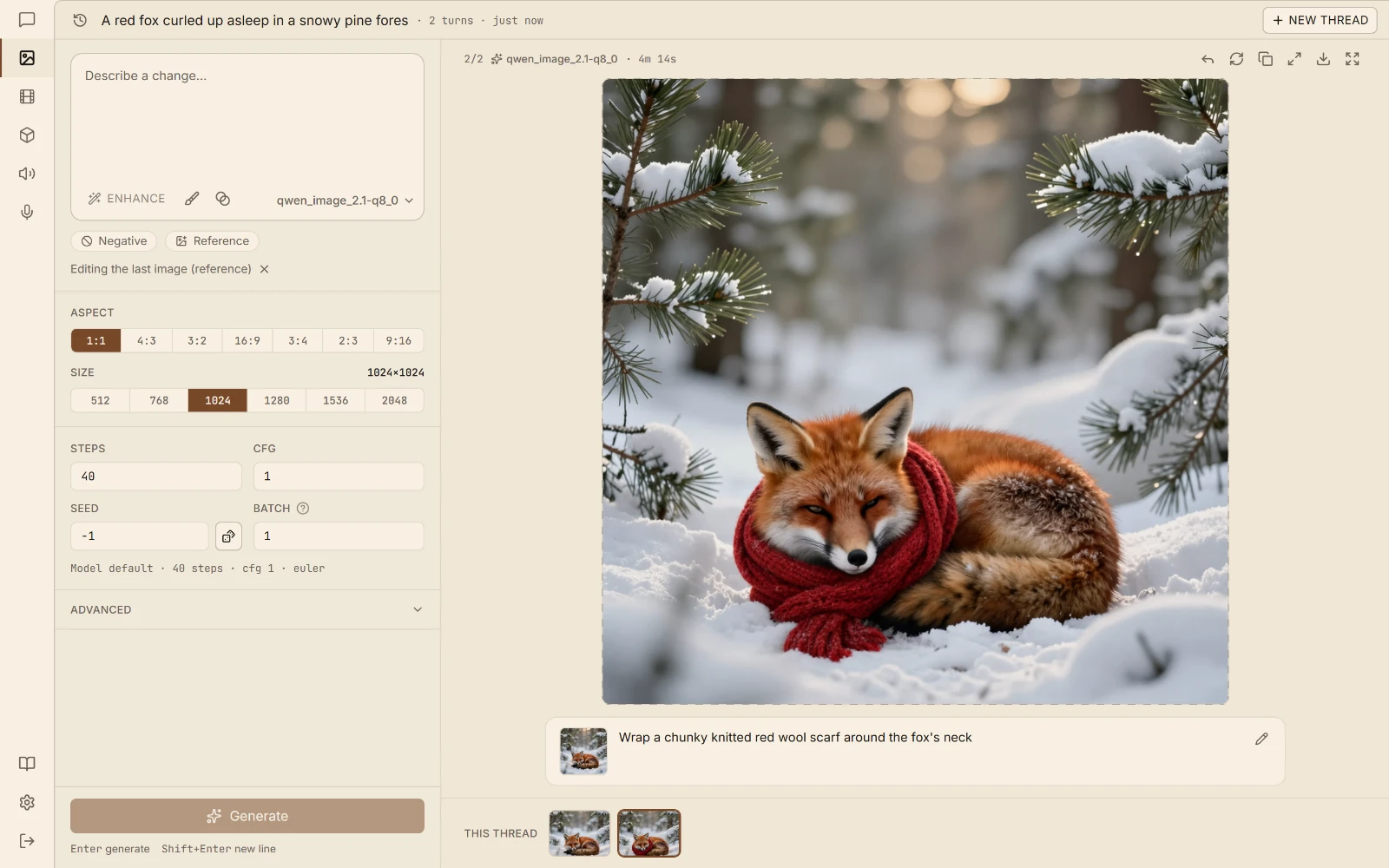
Pictures Make an image from a description, or change one you already have.
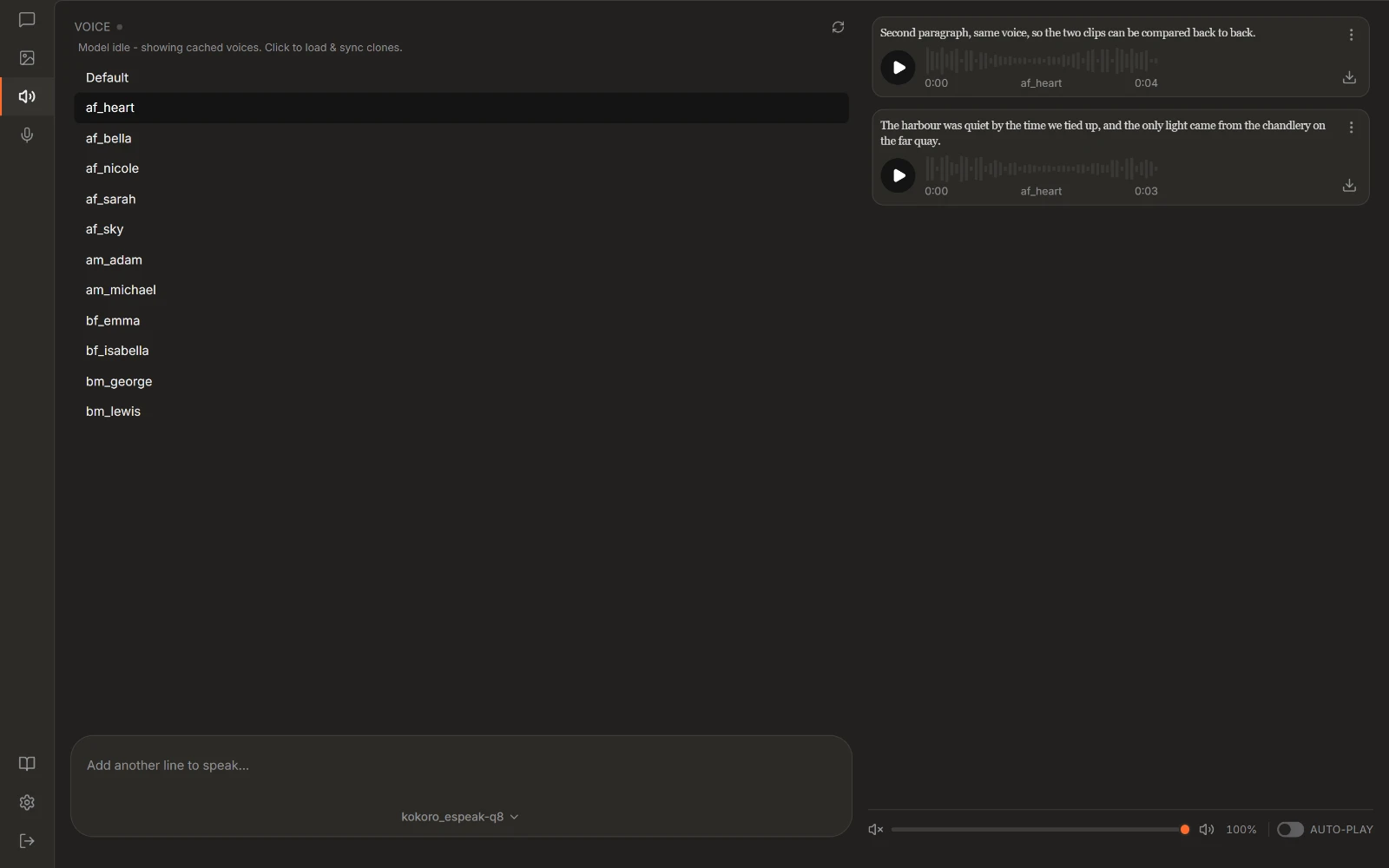
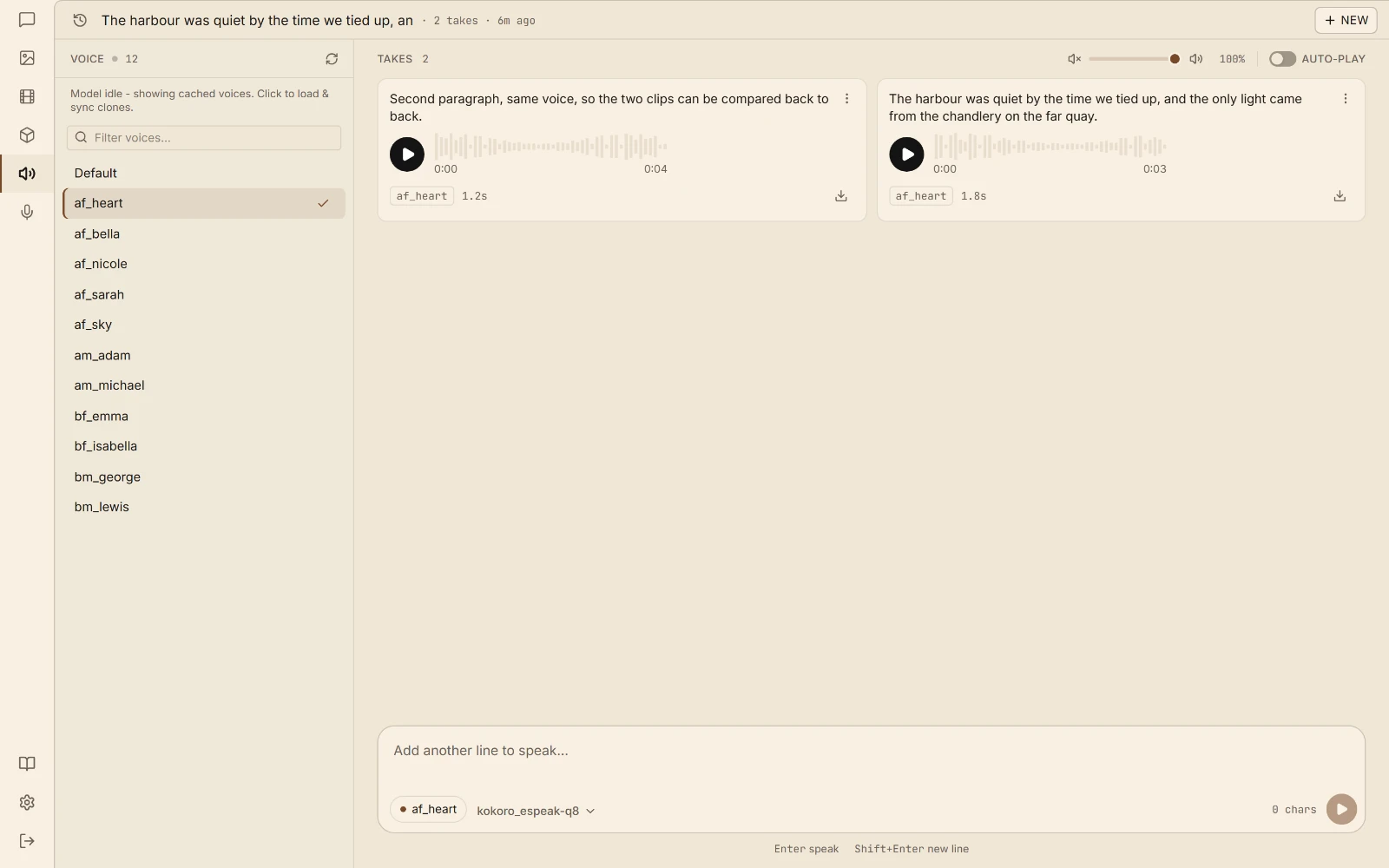
Voice Have text read aloud, or turn a recording into text.
What you need: a PC with a graphics card that has 8 GB of memory or more, or a Mac with Apple Silicon. The built-in model browser shows which models fit your machine before you download one.
Compared
Both are good at getting one model running. Quartermaster is built for the box that runs several, of different kinds, on a fixed amount of VRAM. Checked against their docs as of September 2026; tell us if something here has gone stale.
| Quartermaster | Ollama | LM Studio | |
|---|---|---|---|
| Context length fitted to your VRAM, per model | Computed from the GGUF and what is free | One default by total VRAM: 4k under 24 GB | Fixed default, set by hand |
| KV cache and MoE experts placed for you | KV type is an env var, no expert offload | Both are manual toggles | |
| Several models, swapped in by the request | Evicts only what no longer fits | One on-demand model at a time | |
| A long chat survives its model being swapped out | KV cache saved to disk and restored | Not in their docs | Not in their docs |
| Image generation, speech and transcription | Same catalog, same API | Image generation was removed in 0.32.6 | |
| Uses your GGUF files where they already are | Imported and copied into its own store | Expects its own folder layout | |
| Chat UI for the rest of the house, with logins | Web search, images and voice included | API only over the network | API only over the network |
| Run your own llama.cpp build | Or follow any GitHub repo's releases | Engine is bundled | Choose among its runtime versions |
| OpenAI and Anthropic APIs | |||
| Speculative decoding | MTP picked automatically | Apple Silicon only | |
| Curated model library, one click to pull | Hugging Face search, no curated list | ||
| MLX engine on Apple Silicon | llama.cpp with Metal | ||
| Open source | MIT | MIT | App is closed, SDKs are MIT |
Your tools
One port answers both the OpenAI and the Anthropic API, so anything with a base URL setting works unchanged: Claude Code, Open WebUI, Continue, Cline, SillyTavern, the OpenAI SDKs. The model field picks the model, and if it isn't loaded, that request loads it.
Claude Code talks to the Anthropic API, and so does Quartermaster. Set the base URL and name a local model for both of its slots, so its background calls do not ask for a Claude model you do not have. The token is only checked if you have created API keys.
export ANTHROPIC_BASE_URL=http://127.0.0.1:1250export ANTHROPIC_AUTH_TOKEN=qm-... # any value if you have no keysexport ANTHROPIC_MODEL=qwen3.8-27b-ud3-iq4_xsexport ANTHROPIC_DEFAULT_HAIKU_MODEL=qwen3.8-27b-ud3-iq4_xsclaudeScripts, notebooks and agent frameworks built on the OpenAI SDK need two changes: the base URL and the model name. The same holds for Open WebUI, Continue, Cline and SillyTavern, where it is a field in their connection settings.
from openai import OpenAIclient = OpenAI(base_url="http://127.0.0.1:1250/v1", api_key="qm-...")reply = client.chat.completions.create( model="qwen3.8-27b-ud3-iq4_xs", messages=[{"role": "user", "content": "Hello"}],)It is the same port for everything in the catalog. Image generation, speech, transcription, embeddings and rerank sit on their usual OpenAI paths, so a request for an image model swaps it in the same way a chat request does.
curl http://127.0.0.1:1250/v1/images/generations \ -H "Content-Type: application/json" \ -d '{"model": "z-image-turbo", "prompt": "a lighthouse at dusk"}'Features
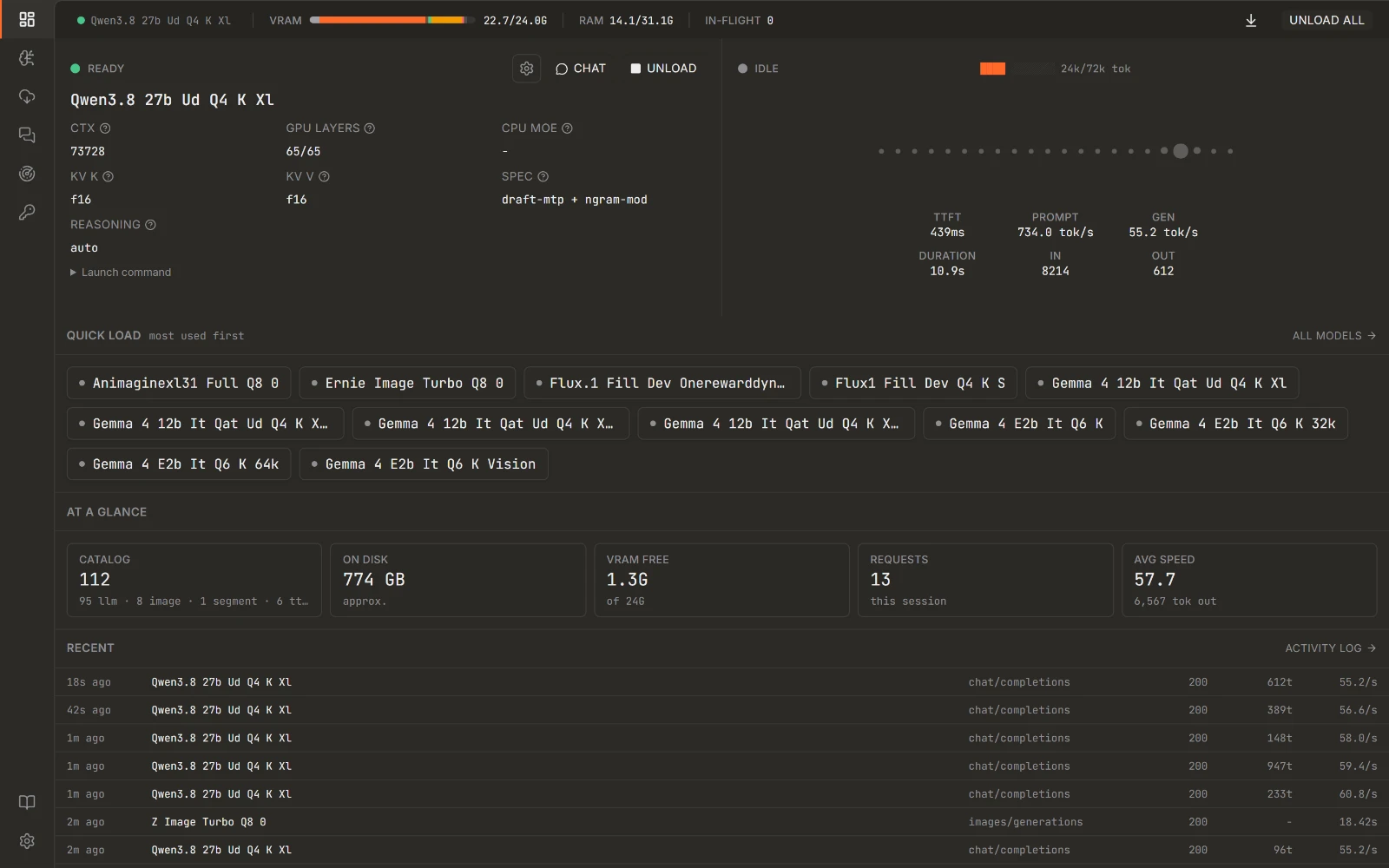
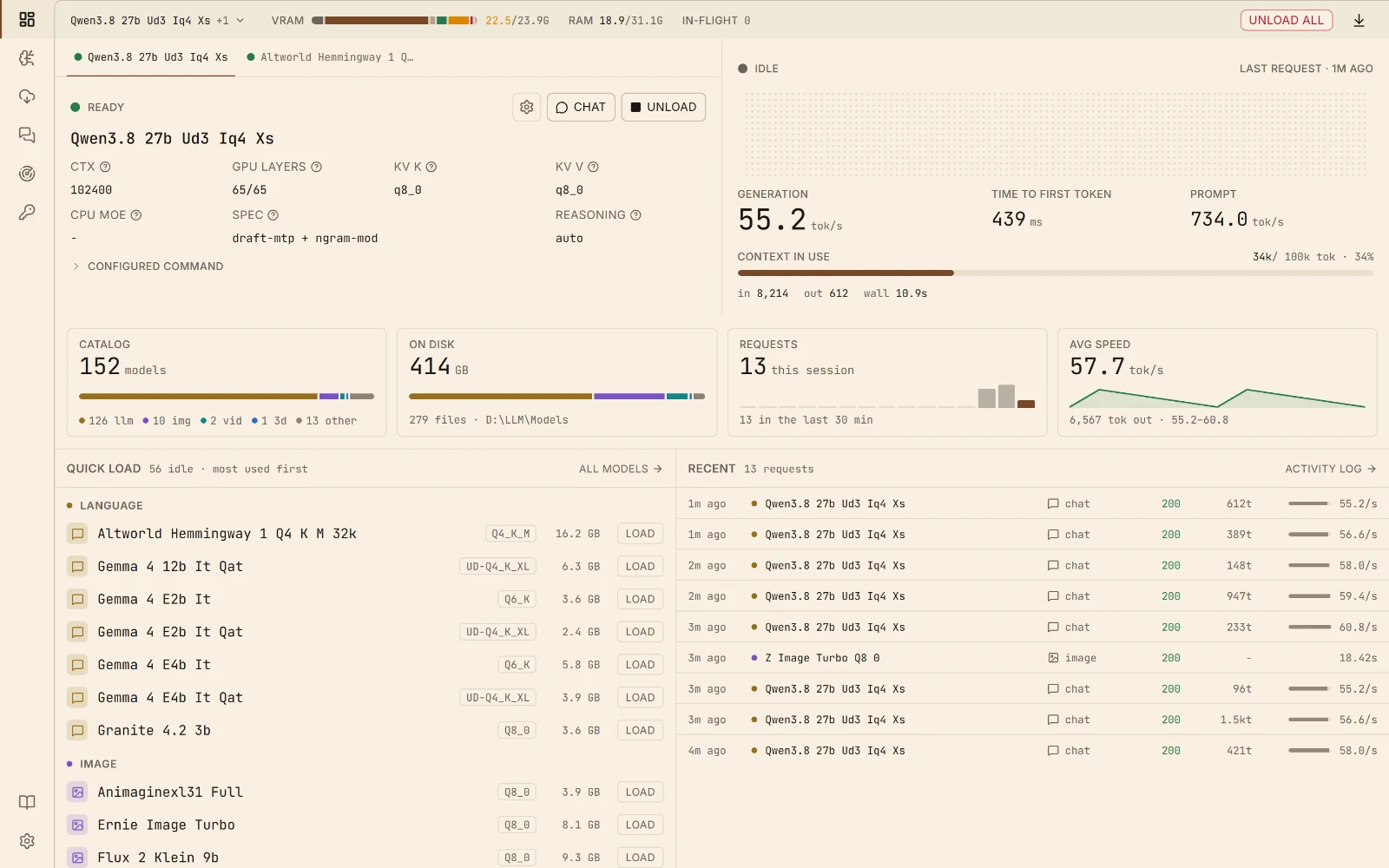
One endpoint in front of every model you own: llama-server, stable-diffusion.cpp, speech, transcription, rerank, embeddings, upscaling. The sizing is decided for you instead of by you, and the chat app sits on top of all of it.
01Automatic configuration
Point it at a folder. Every GGUF is identified from its own header, and context length, GPU offload, CPU-MoE split and KV-cache sizing are computed per model and per architecture. No hand-written config block per model, and no second block when a new quant lands.
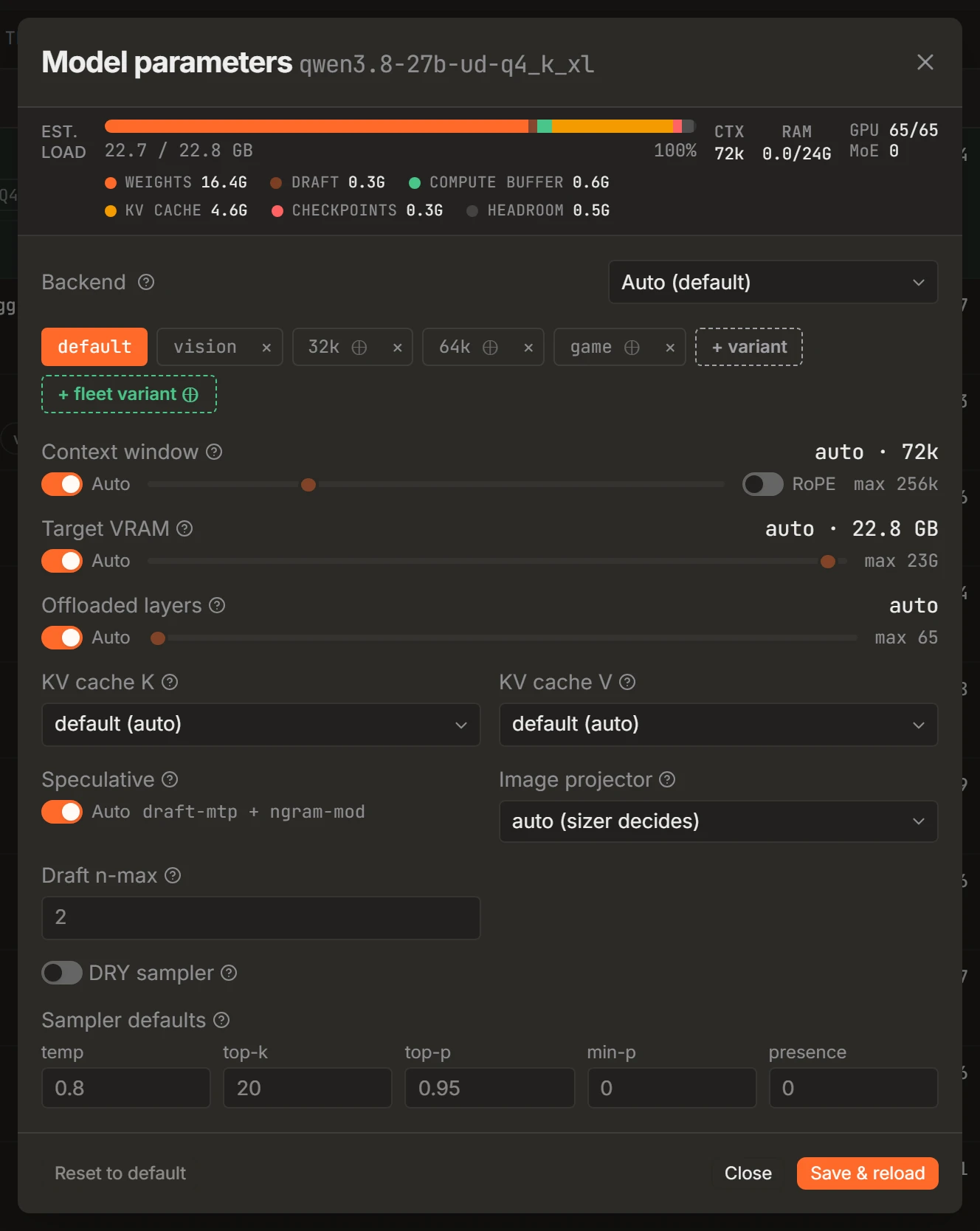
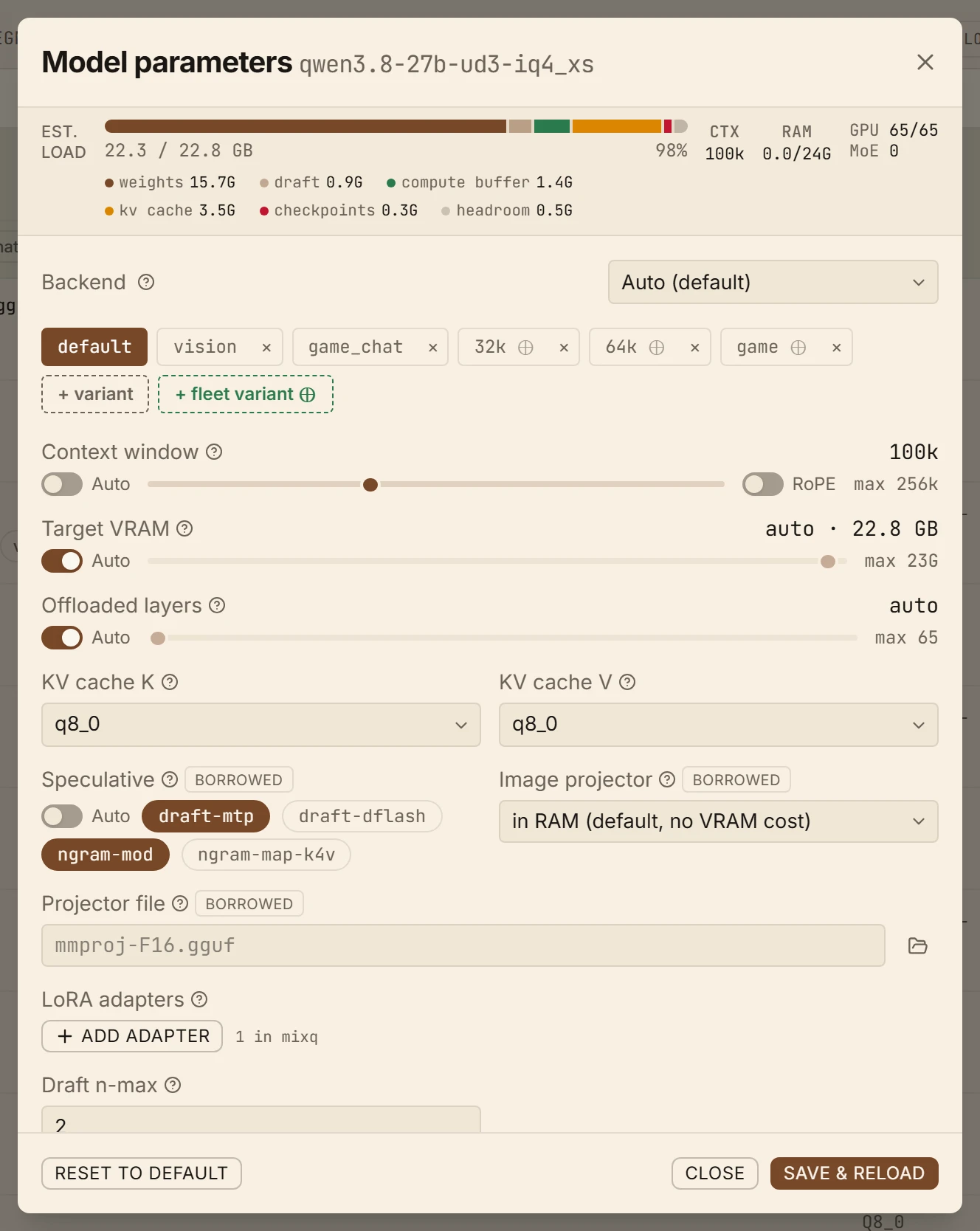
Per-model parameters Context, KV cache, offload and speculative decoding, with the computed default one click away.
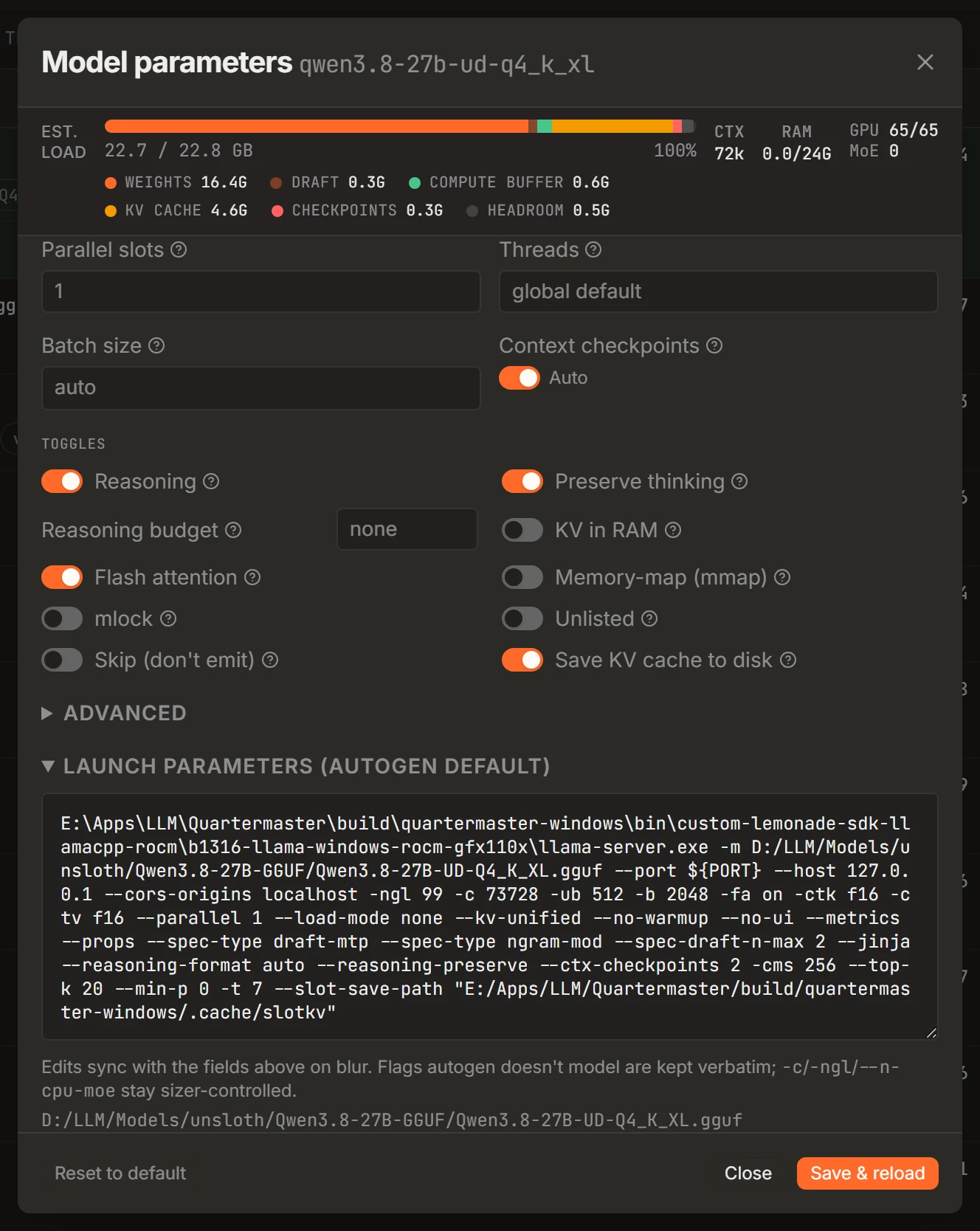
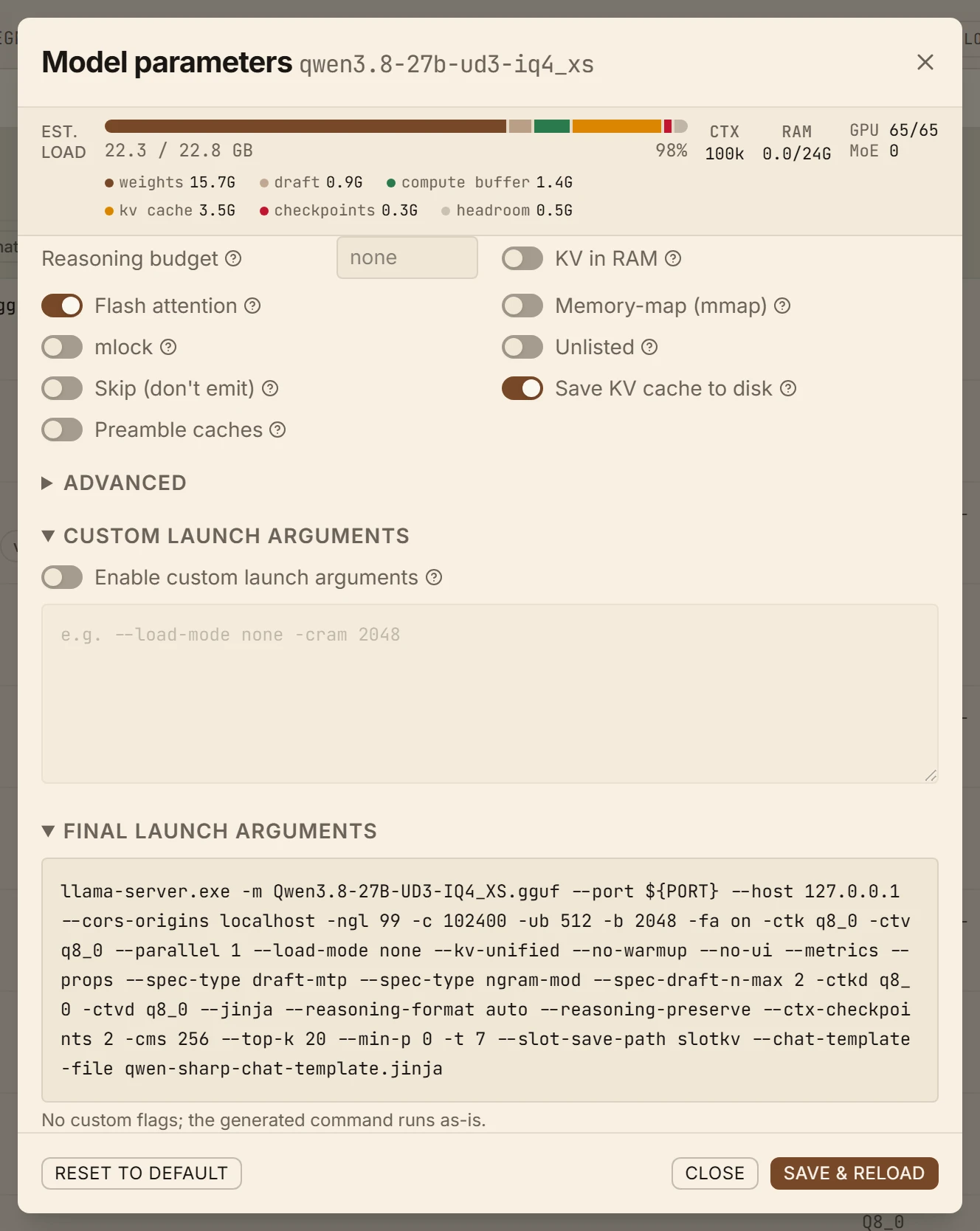
Fully customizable The whole llama-server command line, and your own flags on top of it. A flag you set replaces the one Quartermaster computed rather than landing beside it, and the final command shows which is which: the UI is a layer over the flags, not a replacement for them.
02Load planning
Free VRAM is sampled at startup and every model is sized against what is actually left, not against the number on the box. The gauge breaks a load down the way the card sees it, so an estimate that is about to go wrong is visible before you press load rather than after the driver kills the process.


VRAM breakdown One bar per segment: weights, KV cache, compute buffer, and what the rest of the system already holds.
03Getting and keeping models
Search Hugging Face from inside the app, compare quants against the VRAM you actually have, and download into your models folder with the transfer resumable if it breaks. What lands is picked up and configured without a restart.
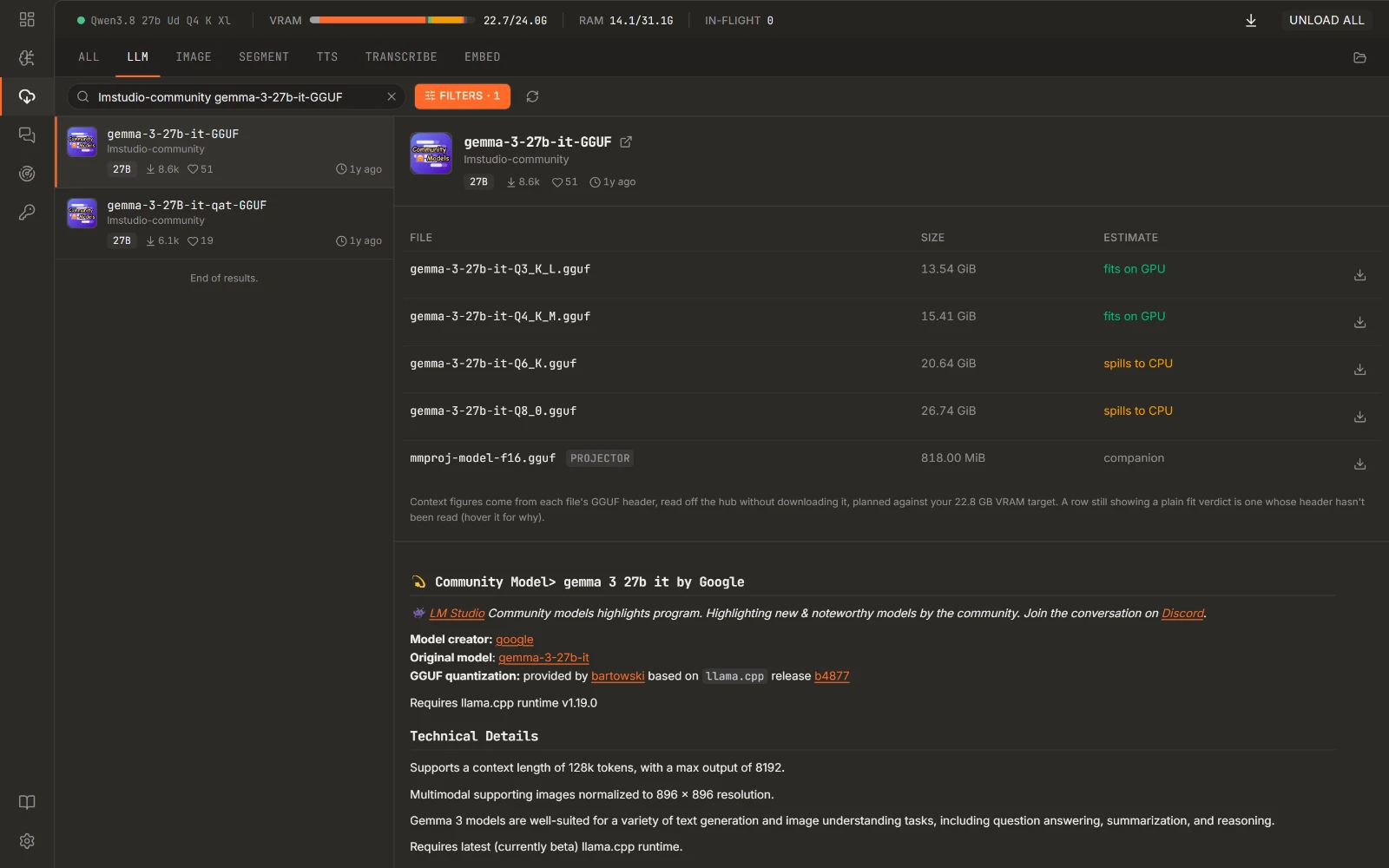
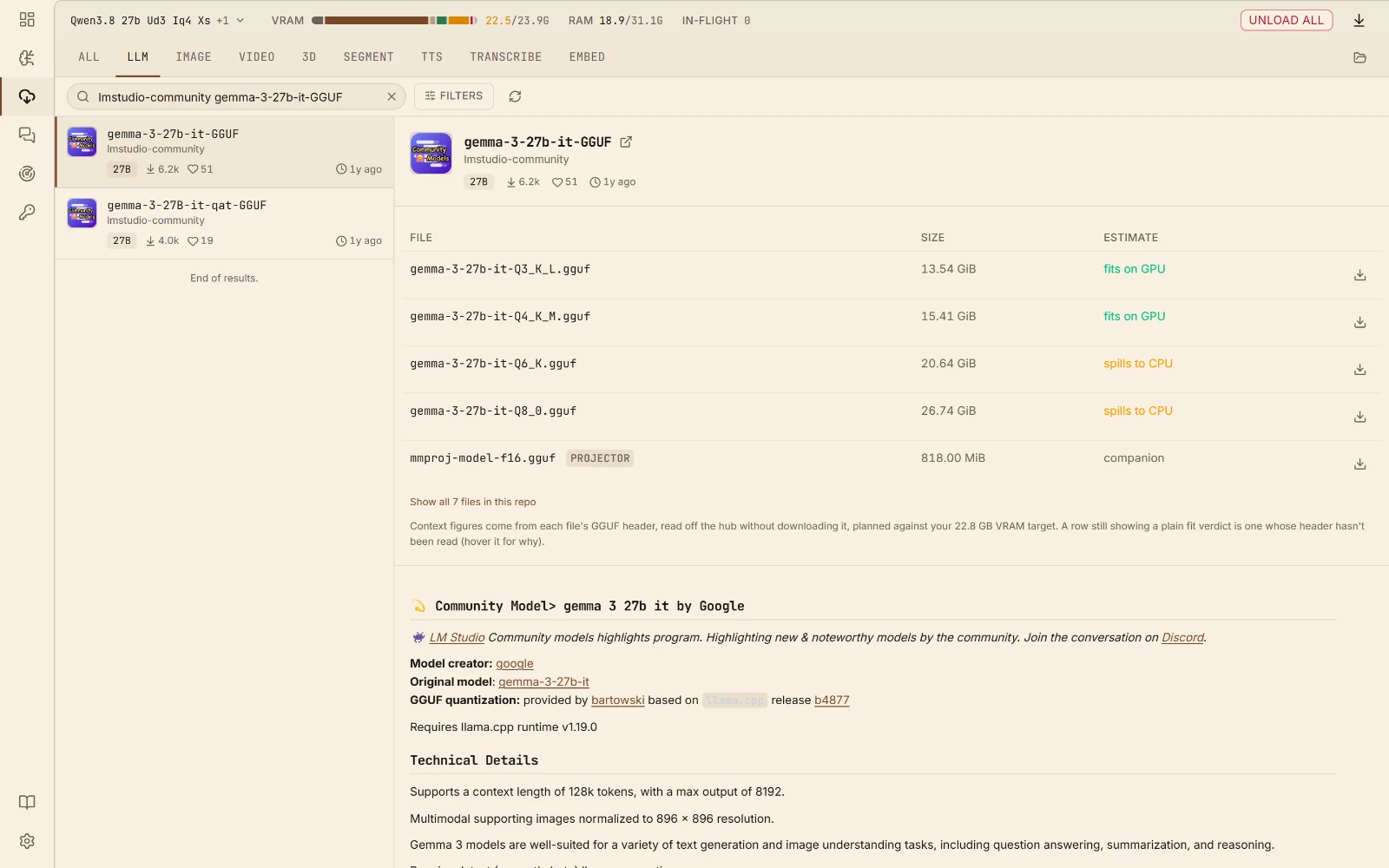
Model hub Search, pick a quant, download into your models folder.
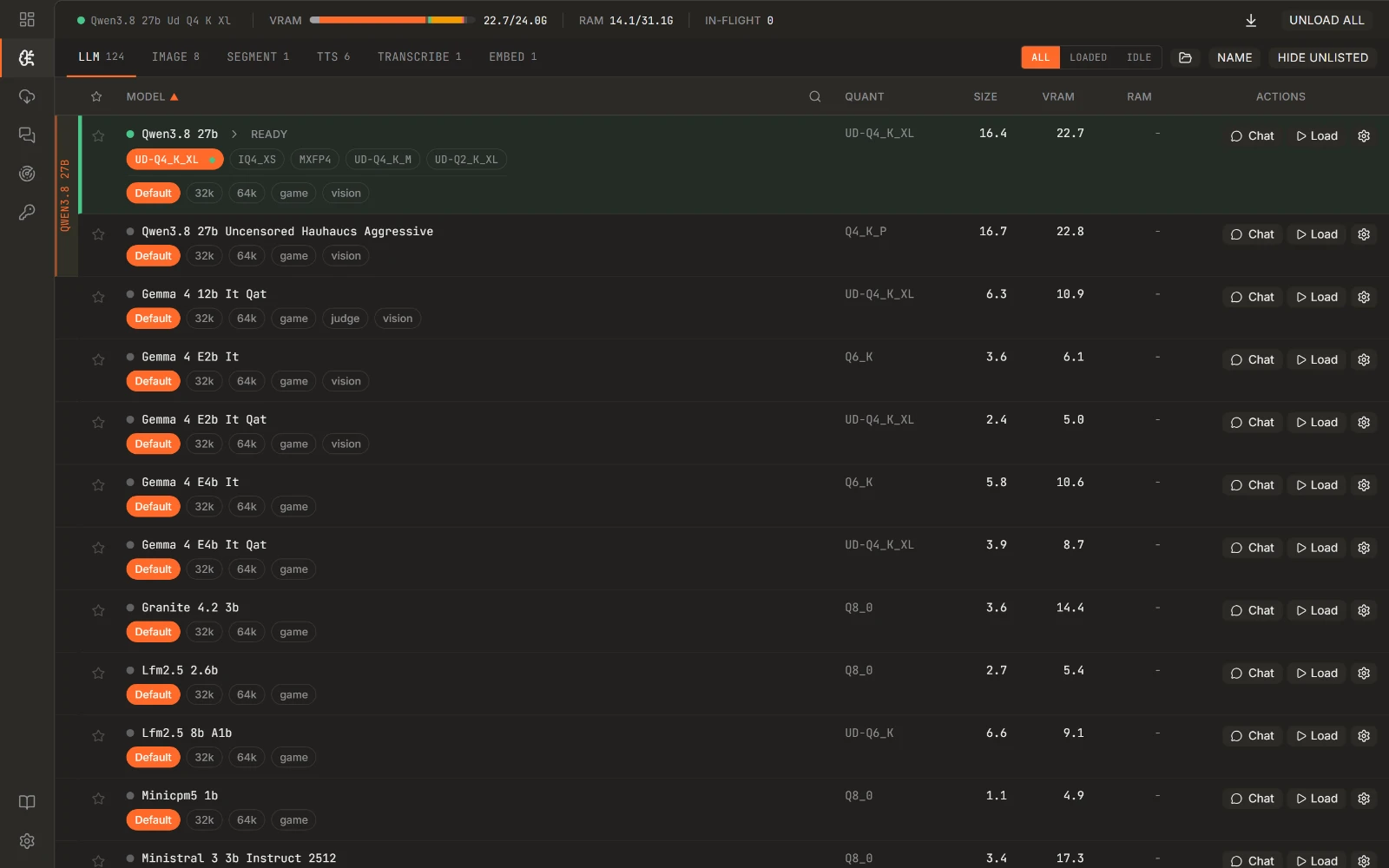
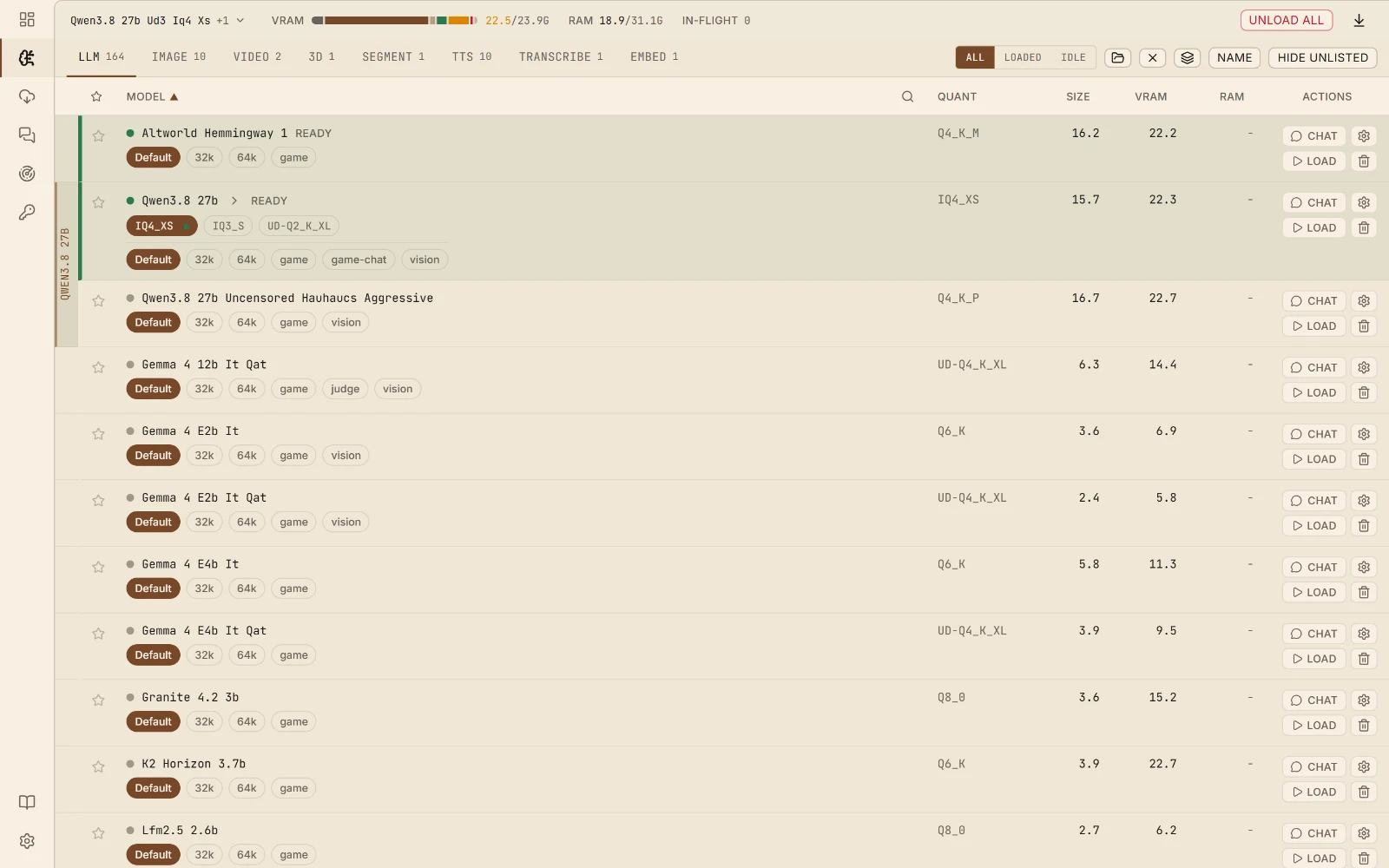
Manage models Every discovered model, grouped by GGUF, with its variants under it.
04Bring your own backend
The backends it ships with install themselves from their upstream GitHub releases, but nothing is hard-wired to them. Point a row at a binary you built yourself and it joins the same registry: picked per model class, launched with the flags the config generates, no different from a managed install. Or hand it a GitHub repo and it follows that project's releases for you.
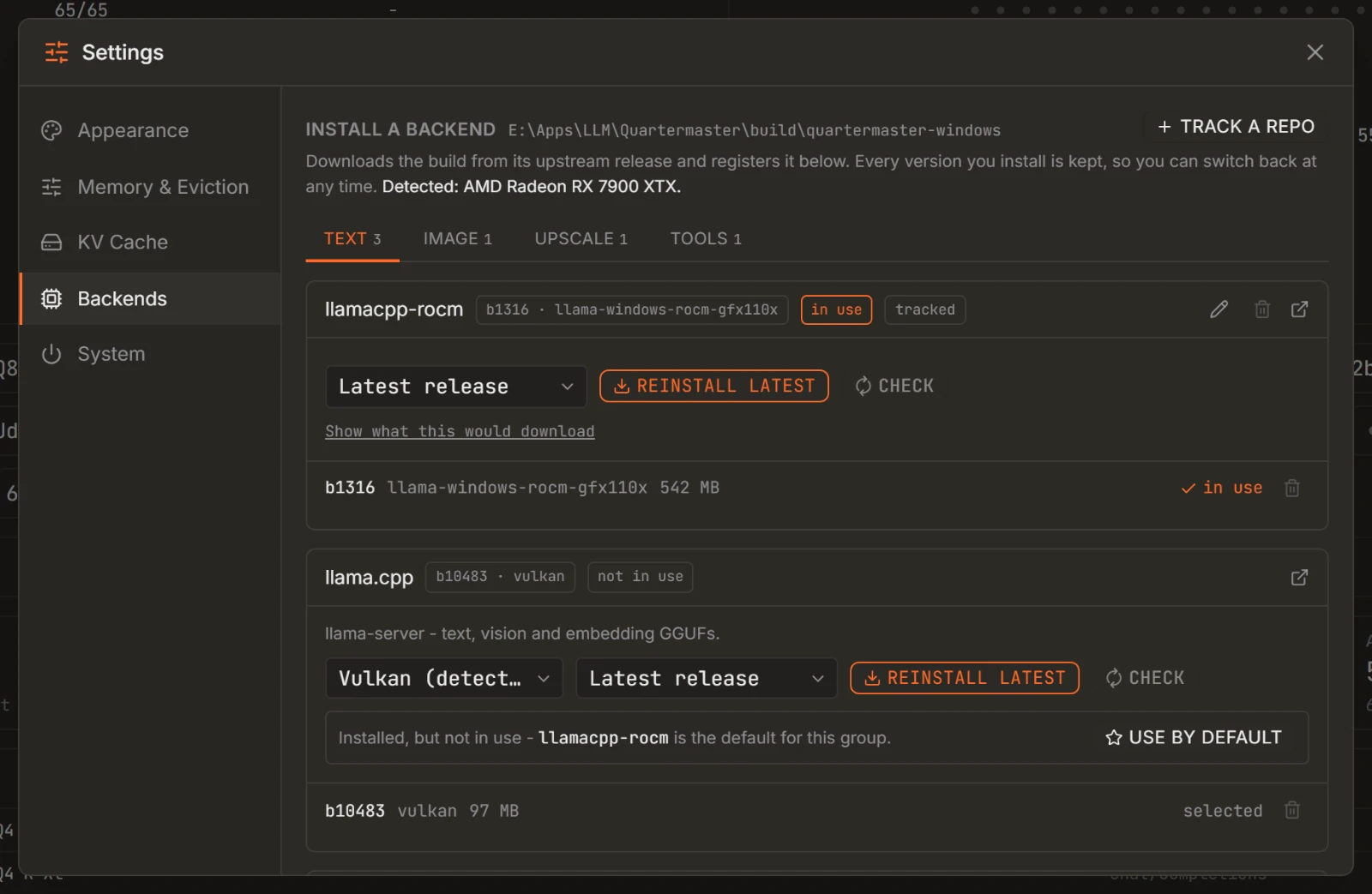
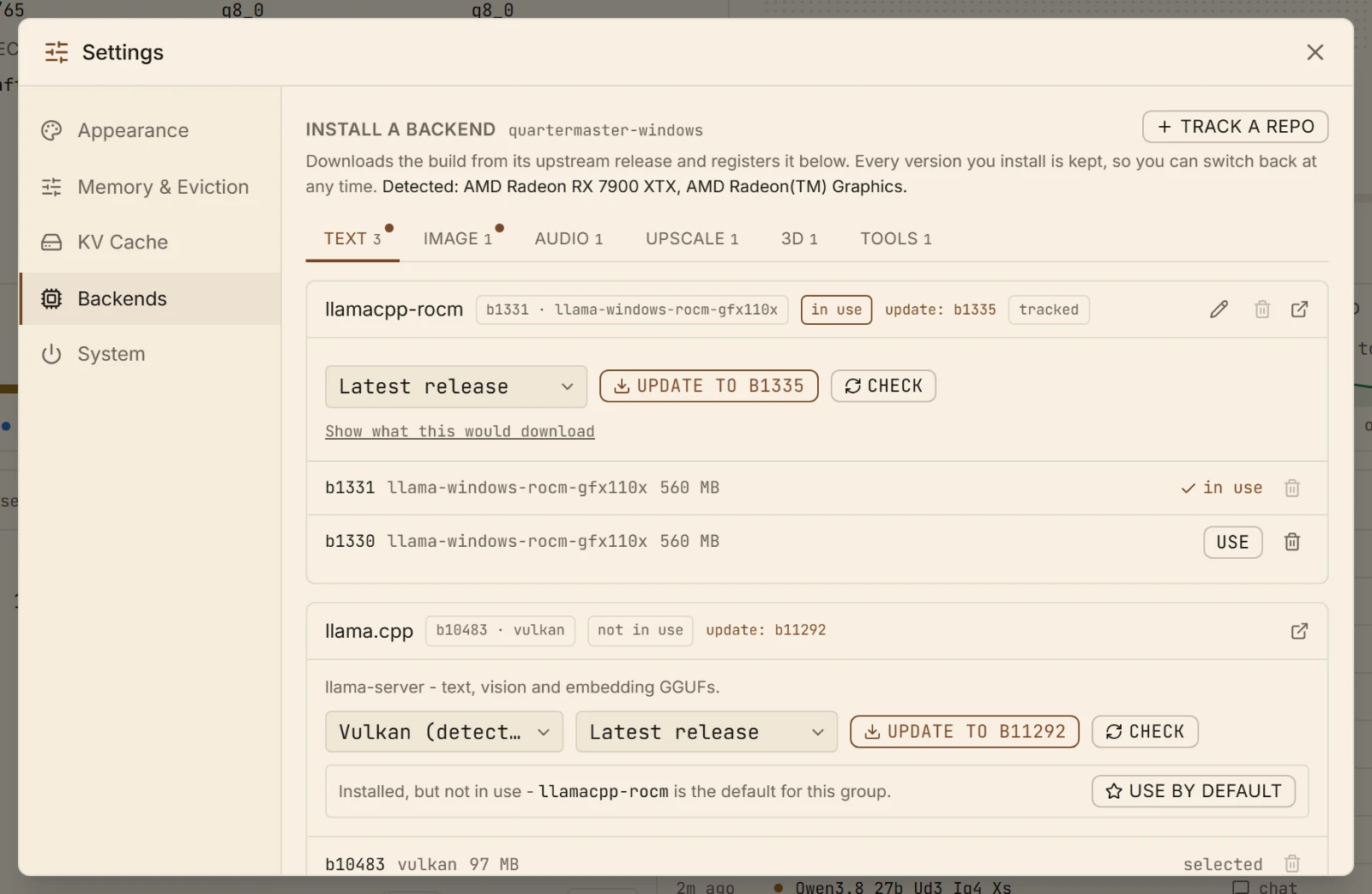
Settings, Backends Managed installs on top, the registry they write into underneath: every row is a binary Quartermaster can spawn, whether it installed it or you did.
Also in the box
Less visible than a gauge, and the reason it keeps working once it is part of your setup.
One endpoint, every model. A request naming a model that isn't loaded swaps it in, evicting whatever no longer fits, and holds the group together when several have to coexist.
Snapshots a slot's KV-cache to disk before the model is evicted and restores it when the conversation comes back, so a long chat isn't re-prefilled because a throwaway request borrowed the GPU.
Bind several listeners on one shared scheduler, each with its own /v1/models view. Loading on one port can evict on another: one process, one GPU accounting.
Activity, streaming logs, per-model performance and context use on one page, so a slow request is something you can look at rather than guess about.
API keys can be scoped to individual models. Bind the API to your tailnet and the dashboard and config endpoints answer to localhost only unless you widen them yourself.
Prometheus metrics, a log stream you can pipe, ops endpoints to load and unload a model on demand, and a config file that hot-reloads when you edit it. No plugin system to learn: the surface is HTTP and YAML.
How it started
Every model meant another hand-written block of config: how much context, how many layers on the GPU, how big the KV cache, whether the experts go on the CPU. Then a new quant lands and you do it again. Sometimes I wanted a configuration with high context, other times I wanted a very lean model load to allow something else on my GPU at the same time. The solution I came up with is the variants system.
It started as a fork of llama-swap, which had the swapping right, and grew in the obvious direction from there: read the GGUF header, measure the VRAM that is actually free, and compute the numbers instead of typing them. Once that worked the rest followed. Image and audio backends in the same catalog, several ports sharing one scheduler, a KV-cache that survives being evicted, and a UI that shows what the box is doing rather than a log you have to tail.
It is its own thing now.
Questions
Yes. It is open source under the MIT license, with no account, no subscription and no paid tier. The models are free to download too.
Your chats, pictures and recordings stay on your computer, and there is no telemetry. It goes online to check for a newer version of itself and to download the models and components you pick. In a chat, the web tools make outside requests when the model uses them: a web search, a page it opens, a news feed, the weather or an exchange rate. Only the lookup goes out, never the conversation.
Not quite, and it is better to know that up front. The models that fit on a home graphics card are smaller than the ones behind ChatGPT or Claude. On a 24 GB card they handle everyday questions, writing, summaries and coding help well; on an 8 GB card expect something closer to a capable assistant than an expert. What you get in return is privacy and no monthly bill.
Not with LM Studio: its models folder is plain GGUF files, so point Quartermaster at it and they show up. Ollama keeps its models renamed inside its own store, so those need downloading again, which the built-in browser does in a few clicks. Both can stay installed; just don't run them at the same time, since they would be sharing one graphics card.
It still runs: the part that does not fit goes to your regular memory and processor, which is slower. The model browser marks what fits your card before you download, so this is usually a choice rather than a surprise.
Yes. The chat app has its own address on your home network, and each person signs up with their own login and gets their own history. It runs on the one computer with the graphics card; everyone else just opens it in a browser.
Question not here, or something broken?
Install
Windows, Linux, macOS and Docker, from the same single binary. The installer and the Docker image bring the inference backends with them; everywhere else you install them from Settings on first run, or point at ones you already have.
A per-user install, no admin rights needed. The first-run wizard fetches the inference backends, asks for your models folder, and generates a config before the window opens.
The same wizard, in your browser: it fetches a verified binary, the backends for your GPU, and a config built from your models folder. It prints the address it serves on and holds the terminal until you finish, so open that address if no browser appears. On macOS clear the quarantine flag first. Or take the bare static binary instead, amd64 and arm64 for Linux and Apple silicon for macOS, and install the backends later from Settings.
Downloads on the releases page →chmod +x quartermaster-setup-darwin-arm64-*xattr -d com.apple.quarantine quartermaster-setup-darwin-arm64-*./quartermaster-setup-darwin-arm64-*One image, for linux/amd64 and linux/arm64, and it serves the moment it starts: llama-server and sd-server ship inside it, the same upstream Vulkan builds a desktop install downloads. Point it at your models folder and open the dashboard.
docker run -p 127.0.0.1:1250:8080 -v quartermaster-data:/data \ -v ./models:/data/models ghcr.io/quartermaster-labs/quartermaster:latestPrefer to build it yourself? Building from source takes Go 1.26+ and Node 24 for the UI, one binary out the other end.
Documentation
These are the same help articles behind the Help button in the sidebar, and the assistant in the playground searches them as a tool, so the quickest way to learn Quartermaster is to open the chat and ask. Why did my model get evicted, what does this flag do, how do I cap the VRAM budget: it reads the manual and answers with your setup in front of it.